
Over the weekend, I won #3 at OpenAI's GPT-5 Hackathon
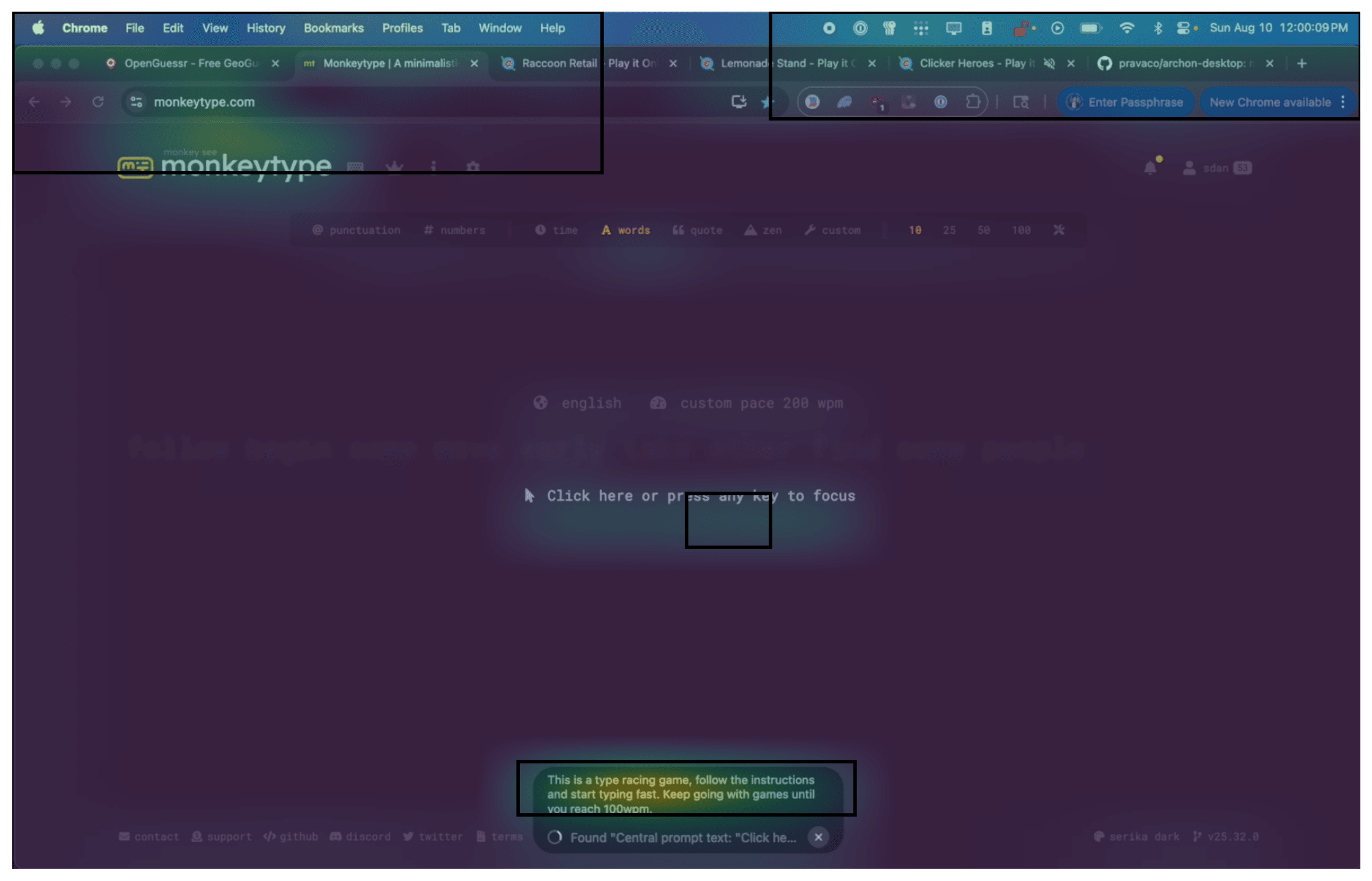
Archon is a small bar that sits at the bottom of your Mac/Windows screen where you can type what you want your computer to do in natural language. It takes screenshots to see what's on screen, uses GPT-5's reasoning to plan, then a custom fine-tuned model executes clicks and keystrokes. In a racing game demo with a single instruction to 'start playing' it recognized the view, used WASD, and navigated the track. Although it didn't win this time due to latency, its instruction-following ability was clearly superior to prior models. The goal is to make computers self-driving. Archon is a lightweight client demonstrating that GPT-5's powerful reasoning combined with tiny fine-tuned models can control any interface through natural language.
GPT-5: Why it worked
I built Archon entirely on GPT-5's reasoning. Codex CLI with High Thinking for writing the app, GPT-5 with Vision for perceiving the screen, GPT-5's chain-of-thought for planning. I used pretty much every capability the model offers.
What makes GPT-5 suited for computer control is its ability to reason through complex multi-step processes while maintaining context across long interactions. Unlike previous models that hallucinate or lose track of the current state, GPT-5 can break down "start playing this game" into discrete, executable steps while adapting to unexpected UI changes.
I calibrated compute strategically to trade off accuracy and latency. For complex workflows, high reasoning effort maps out interaction sequences with error handling. GPT-5-mini with function calling preambles lets me show the user what the system is thinking while simultaneously calling the grounding model. Whether the user needs to navigate complex, changing UIs or just get something done quickly, the system trades reasoning for latency and vice versa.
How it actually works
Archon uses a hierarchical split: a large reasoning model (GPT-5) decides what to do, and prava-fc-small figures out exactly where to click. This matters because reasoning and grounding are fundamentally different problems with different computational requirements.
The reasoning model sees the screen and your request, then outputs a semantic action: "click the blue Submit button at the bottom." Descriptions enable reasoning to be done in natural language. prava-fc-small takes that description plus the screenshot and outputs exact pixel coordinates: (523, 412). One model for the "what," another for the "where."
prava-fc-small (Prava's Fast Click grounding model) is a vision transformer (ViT) fine-tuned specifically for finding UI elements. It outputs exact (x, y) screen coordinates for clicking.
Why vision tokens are expensive (and how I optimize them)
For GPT-5's computer-using agent, each action involves vision, reasoning, and response. A 1920×1080 screenshot becomes 6 tiles at 170 tokens each, plus reasoning tokens billed as output.
Running the same workflow 100 times daily costs $940, over $28,000/month without caching. Each run takes 3–8 minutes, so what would take a human 50 minutes would take 5–13 hours of compute time. And because they're LLMs, they aren't deterministic everytime, compounding the cost and time.
The approach: split reasoning from grounding. GPT-5 decides "click the blue Submit button," prava-fc-small finds the exact coordinates. I cache the patch embeddings themselves and reconstruct the difference between frames over time. This is sometimes inefficient when tasks involve a lot of window switches, but combined with a 3MB saliency scorer that identifies interactive regions, it gets 70%+ cache hits and 10–50ms grounding latency.
Instead of throwing away dead space, I just downsample irrelevant regions, keeping the important UI elements at full resolution.
GRPO
I trained prava-fc-small with GRPO (Group Relative Policy Optimization), where rewards are binary: 1 if the click lands inside the target UI element, 0 otherwise. Patches work well for this because they're small enough that clicking anywhere within a patch-covered element still gets rewarded.
To scale training data, I used trajectory augmentation on human demonstrations. From one recorded workflow, I generate multiple related trajectories by varying timing, UI states, and interaction patterns — effectively "boosting" the grounding model's robustness across different scenarios.
While testing, prava-fc-small was really bad at clicking bright red buttons, compared to tiny blue buttons it was clicking fine.
Speed: adaptive compute that feels instant
Test-time compute is getting extremely hyped these days, particularly off of the success of the o-series models. In my experience, I personally get much usage from GPT-5 Pro and previously o3-pro. The reason is because a lot of my day-to-day work revolves around "knowledge work". Good thing for prava-fc-small is that it's a lot of "grounding work" and not a lot of "knowledge work". You can get a lot of mileage out of a 7B model if you instead vary the reasoning and determine how to properly pipeline the tasks.
On this path, prava-fc-small runs alone (no planner call), hitting ~50 ms per action on an A100. The router only escalates when signals are uncertain: high saliency entropy, too many candidate targets, recent misclicks, or ambiguous copy (e.g., multiple "Submit" buttons). When that trips, I pipeline one step ahead: Step N (simple) executes now while the reasoner prepares a short plan for Step N+1.
The fundamental tradeoff is simple: consumers want one thing done fast, enterprises want many things done efficiently. Same model, different routing strategy.
For consumer use, it's better to bias toward the fast path (planner stays cold unless ambiguity is detected). For enterprise, continuous batching for planner calls, short aggregation windows, and aggressive prefix caching; prava-fc-small stays on-GPU so grounding still feels immediate.
After ~1 hour of use the patch-cache hit-rate gets pretty high.
The encompassing effect is that compared to computer-use models today, many steps can finish in < 100 ms end-to-end; a 20-step flow can land in a few seconds without the "stop-and-think" feel.
What's next
The next step is streaming. A capture pipeline similar to Gemma 3 — consuming frames at 20–30 fps, emitting actions at 5–10 Hz, verifying state on each commit. This closes the perception-action loop for drag/hover/scroll and makes motion feel natural. The planner hooks into the same stream, but only for escalations.
I also want to compile solved steps into micro-policies. If you're running an RPA task or similar workflow, you can run execution locally (prava-fc-small running on your machine) without needing the planner. Over time, the planner becomes a background teacher, not a crutch. Recording screens turns out to be a great way to get enough data for RL training that materially boosts performance for each specific use case.
The plan is to distill those plans into the local model so more steps stay on the fast path. For Tesla it's camera, steering, acceleration. For Archon it's screen, mouse, keyboard.
Eventually the brittle policies and controls go away and you have a model that understands how much compute it needs per task. Today I keep a planner in the loop for rare edge cases and safety; as the executor absorbs those patterns (via streaming, macros, distillation), the system becomes simpler and end-to-end.